
One of the downsides of using sublabels as part of your sensitivity labels setup in Microsoft Purview, is the fact that users always need to select a sublabel when classifying data. This could be experienced as an extra burden because it is an extra step/click for a user.
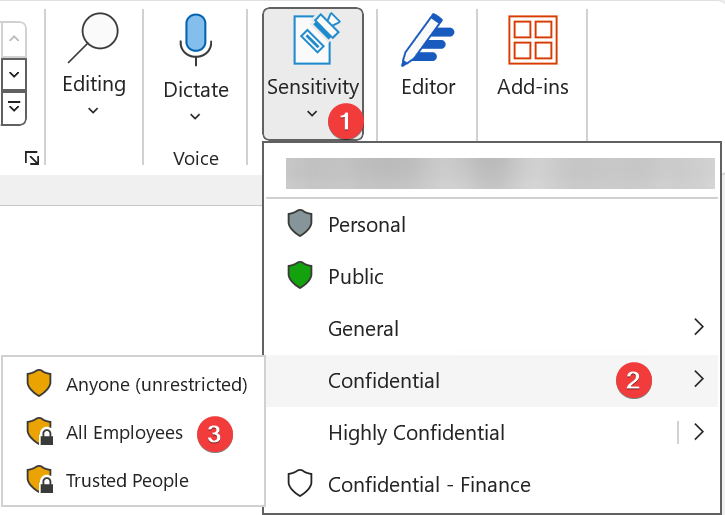
However, there is a (hidden) feature that can be used to assign a default sub label for a parent label.
This way users are able to select the parent label in UI which results in assigning the default sub label for the item. When needed, the user is still able to select a specific sublabel but it is not required anymore.
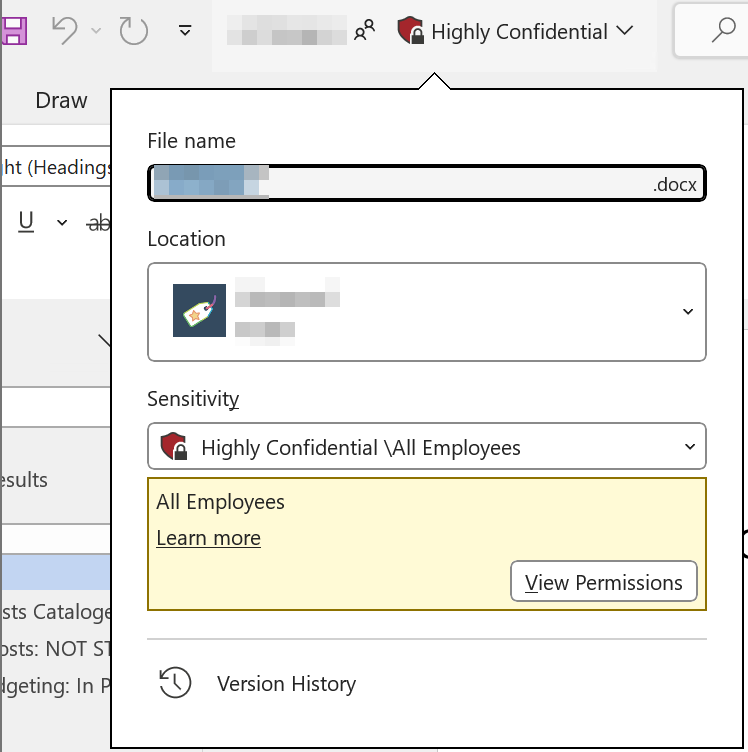
In the following example, the All Employees sublabel is assigned as default for the Highly Confidential parent label. In this case, when the user clicks on the parent label (Highly Confidential) the item automatically gets the All Employees sublabel assigned.
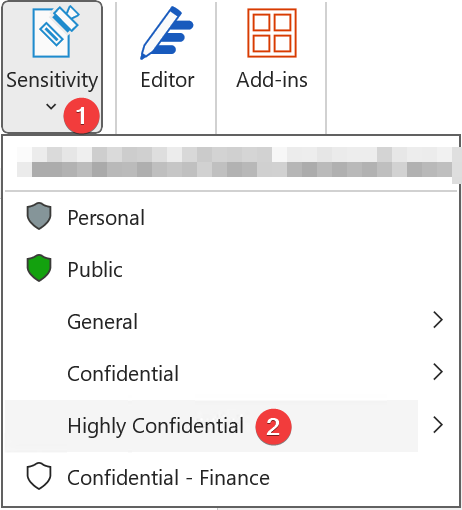
Result:
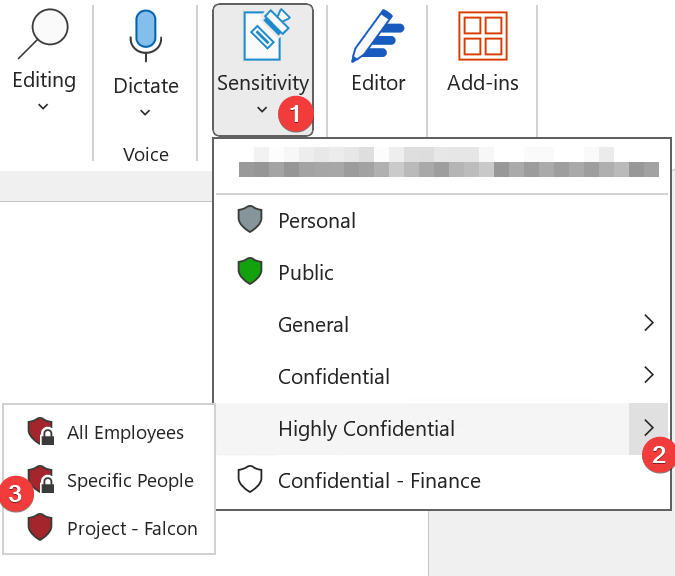
To assign a specific sublabel, for example the Specific People sublabel, expand the sublabel menu by choosing “>” and selecting the sublabel of choice.
Configuration
Unfortunately, the configuration is not available in the Microsoft Purview portal. PowerShell is your friend here.
- Connect to Security & Compliance PowerShell using an account with appropriate permissions (Compliance Admin for example).
- Get the Guid of the parent and sub-label, which is required to configure the default sublabel in the next step.
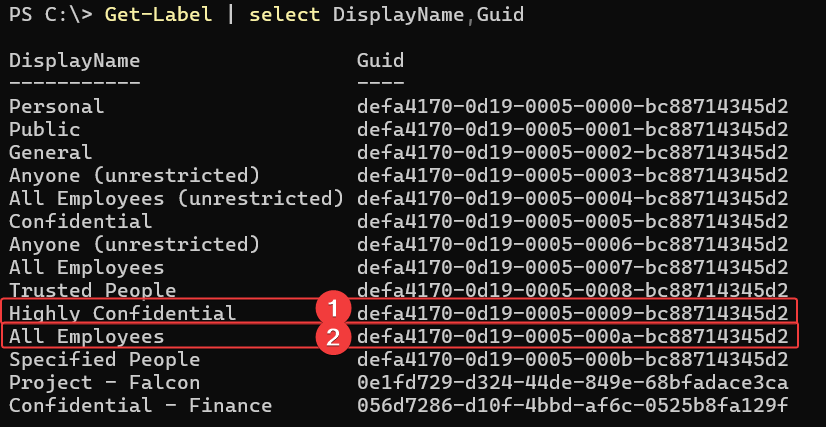
- Use the following code to set the All Employees sublabel as default for the Highly Confidential parent label:
Set-Label -Identity "<ParentLabel_Guid>" -AdvancedSettings @{DefaultSubLabelId="<SubLabel_Guid>"}

Supported clients
Be aware that this configuration is currently only supported by the Microsoft 365/Office applications on Windows (version 2301+). This means, no support for Mac, iOS, Android, and the Office Online (web) versions (including the new Outlook client)!
Using a non-supported version will still show the same behavior as having no default sublabel configured. Users still need to select a sublabel in these cases.
Important!
Ensure to inform your users about this behavior.
They need to be aware that when selecting the parent label it actually means applying a specific sublabel. If not clearly communicated, it could lead to misclassification of data. But it can definitely help the overall adoption of manually classifying data using Microsoft 365 and Microsoft Purview.
 Michel van Vliet - IT Blog
Leave a comment